
Bad Bunny, Hip Hop Sticker (MG10825-67) is a glossy white sticker sheet with neon/hot-pink text, black icons and small holographic chrome accents designed for small-scale nail placement.
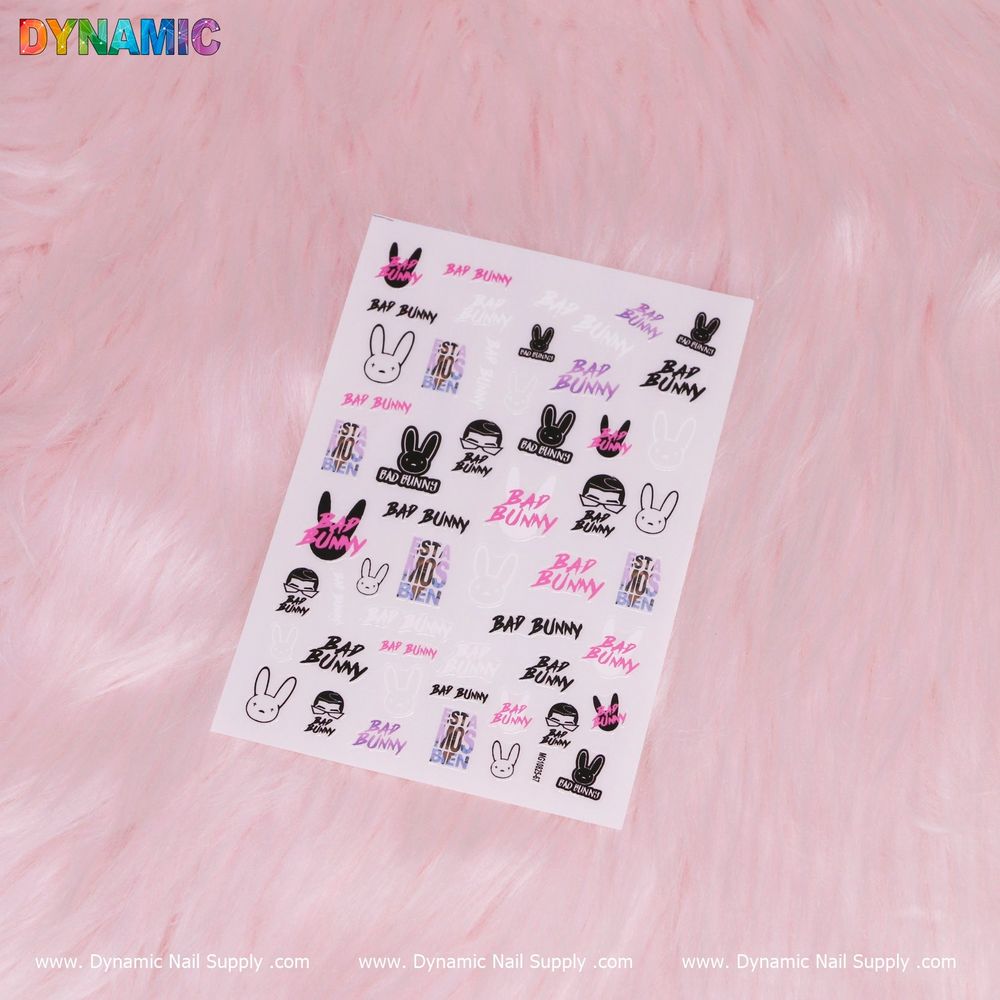
MG10825-67 sheet on baby-pink faux fur background
Key takeaways
- You need thin, angled pick-up tips and soft-grip tweezers to handle tiny black-and-white mini-icons and neon-pink text without crushing or bending decals.
- Use a magnified lamp or loupe and a cushioned desktop rest to reduce wrist torque during precise placement.
- Adapt tool tips with silicone sleeves or micro-felt pads for holographic foil pieces to avoid scratches and static cling.
- Practice a standardized workstation layout so the MG10825-67 sheet stays flat and accessible; consider priced-at-$2 inventory rotation methods.
Weddings: calm, steady placement for bridal looks
Wedding applications require tiny decals to sit perfectly on clean, often pale or sheer bases. With MG10825-67, the neon-pink text and black mini-icons read best when centered and undistorted.
- Tool choice: choose fine-tip ceramic-tipped tweezers or anti-slip, angled steel tweezers for central placement; ceramic reduces adhesion compared with bare metal.
- Grip modification: add a 2–3 mm silicone sleeve over the tweezer tip to cushion holographic foil elements and reduce scratching.
- Work position: use a low-angle loupe or magnifying LED task lamp so you keep your wrist neutral while aligning tiny bunny-head icons.
- Placement trick: pick up the decal at the edge of the white backing with a micro-spatula, then transfer to tweezers for final nudging — this minimizes bending of thin neon script pieces.
Holidays: quick setting, repeatable placements for seasonal volume
Holiday shifts increase throughput without sacrificing precision for the small, contrasting black and neon decals on MG10825-67.
- Tool choice: batch-use a curved-tip pick-up tool for repetitive transfers; curved tips reduce thumb extension during repetitive motions.
- Station setup: lay multiple sheets on a shallow foam tray so you can slide sheets forward with minimal hand movement.
- Ergonomic tip: switch to a palm-supported grip for long holiday shifts — rest your pinky on the table and move the tool with forearm muscles rather than fingers only.
- Finishing: use a thin tack-free gel topcoat to lock holographic accents in place with minimal rework; avoid heavy pressure when setting to preserve rainbow reflections.
Work: daily service efficiency and hand-health strategies
When MG10825-67 enters your regular rotation, tool choice and micro-habits decide whether you end the day with tendon strain or not.
- Tool selection: invest in lightweight stainless-steel tweezers with textured grips and a blunt micro-tip for black icons; heavy tools increase grip force and fatigue.
- Reducing pinch force: fit a silicone or rubber sleeve to the tweezer handles; this increases surface area and lowers the force needed to hold decals.
- Alternate grips: alternate between tweezer grips and a soft micro-suction pen for tiny holographic panels to reduce repetitive stress on the same muscles.
- Hygiene and care: keep tools clean of adhesive residue with isopropyl wipes; buildup increases required pinch force and reduces control.
When you build a placement routine around small neon and black icons, consider keeping a spare Bad Bunny Hip Hop Sticker sheet staged flat at the station for faster matching.
Vacations: portable tool kits and placement on the go
Clients often want simple accent nails from MG10825-67 while traveling; your tools should be compact, precise, and safe to transport.
- Portable picks: carry a micro-suction pen and a small angled tweezer set in a cushioned case to protect tips during transit.
- On-site ergonomics: use a collapsible wrist rest or a folded towel to lift the client hand into a neutral position and stabilize placement.
- Static control: include a small anti-static brush or micro-felt pad to remove static cling from holographic foil pieces before pick-up.
- Quick fixes: keep a sheet-level clip or magnetized tray pocket to hold MG10825-67 flat and accessible while you work outside your normal station.
Parties: bold, fast accents with neon-pink script and chrome flashes
Party sets favor speed and visual impact; the hot-pink text and holographic chrome accents on MG10825-67 need crisp placement to read at a distance.
- Tool choice: select flat, slotted tweezers or a thin-tip lifter that lets you slide under decals without folding the white backing.
- Grip technique: use the pad of your index finger as a stabilizer against the client’s nail while the other hand places the decal — this limits micro-movements.
- Protect holography: for chrome reflections, use a soft silicone tip or micro-felt on the pick-up tool to avoid dulling the foil finish.
- Batch layout: pre-cut or pre-locate likely-to-use icons on a laminate palette so you can place several accents quickly with a single tool motion.
Choosing tools: specifics that reduce hand strain and improve accuracy
Match the tool tip and handle to the decal type on MG10825-67: black printed icons, neon text, and small holographic spots each behave differently under pressure and static.
- Tip geometry: angled fine tips for text; flattened curved tips for icons; suction-based micro-pens for reflective foil dots.
- Material: ceramic or coated tips for low-adhesion contact with glossy stickers; stainless steel for durability only when padded.
- Handle ergonomics: rounded, wider handles with textured grips reduce pinch force compared with narrow, smooth handles.
- Accessory mods: add silicone tip caps, micro-felt pads or 1–2 mm foam discs to contact points to protect holographic surfaces and limit slippage.
Most techs combine two or three tools in a workflow: pick-up pen for foil dots, angled tweezers for script, and flat slotted tweezers for icons. If you need a visual reference for how the MG10825-67 sheet lays out, use a shallow tray that keeps the glossy white backing flat during placement.
Care, safety and maintenance for decal tools
- Cleaning: remove adhesive residue with isopropyl alcohol wipes; avoid abrasive cleaners that roughen tip surfaces.
- Storage: store tools tip-up in a padded case to preserve alignment and tip geometry.
- Handling: keep MG10825-67 away from heat sources to prevent warping of the sticker sheet; keep out of reach of children due to small parts.
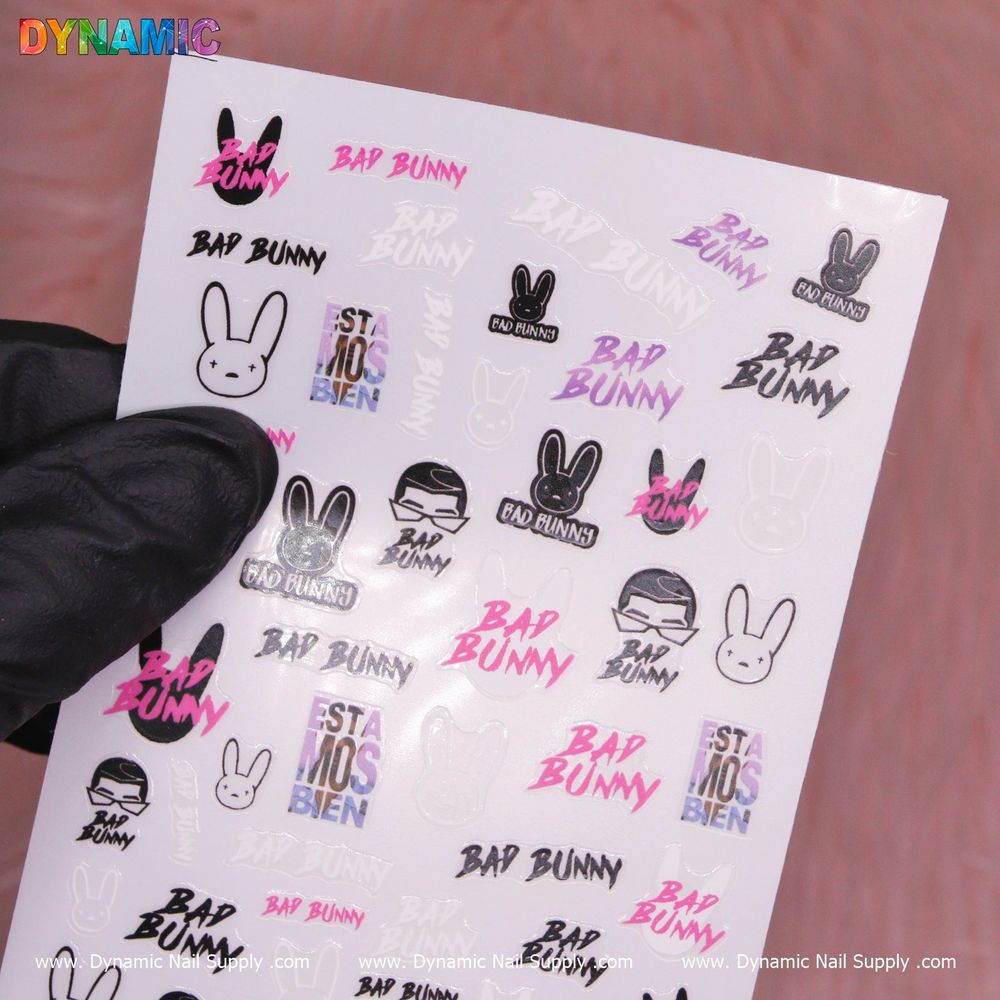
Neon-pink text and black mini-icons with chrome foil accents
Quick checklist for placement workflow
- Arrange tools within a 6–8 inch radius to avoid overreaching.
- Use magnification and a wrist rest for 10+ minute detailed placements.
- Switch grips every 15–20 minutes to reduce repetitive strain.
- Store unused MG10825-67 sheets flat and sealed to preserve holographic accents.
Short recap:
- Choose lightweight, cushioned tools and switch grips to reduce strain.
- Protect holographic chrome with soft-tip modifications.
- Use magnification and workstation supports for precise placement of tiny neon and black decals.
- Maintain and store tools to keep tip geometry stable for consistent results.
